

For years, IT departments required employees to change passwords every 30, 60, or 90 days. It became standard cybersecurity advice.
But according to modern research and updated guidance from the National Institute of Standards and Technology (NIST), frequent mandatory password changes may actually weaken your security.
Yes — the old rule might be doing more harm than good.
Where the 30-Day Rule Came From
Early enterprise security models assumed that regularly expiring passwords would limit the damage from stolen credentials.
However, as cyber threats evolved, researchers found a critical flaw: people respond to frequent password resets by creating predictable patterns.
- Password1 → Password2 → Password3
- Summer2025 → Fall2025
- CompanyName! → CompanyName@
This predictability makes accounts easier — not harder — to breach.
What Cyber Experts Say Now
According to the updated NIST Digital Identity Guidelines, organizations should not require periodic password changes unless there is evidence of compromise.
Security analysts at organizations like Microsoft Security and CISA now emphasize stronger password creation and multi-factor authentication instead.
The focus has shifted from frequency to strength.
Why Frequent Password Changes Backfire
1. Predictable Variations
Users often tweak a single character when forced to reset passwords.
2. Password Fatigue
Frequent resets cause frustration, leading to reused passwords across multiple sites.
3. Unsafe Storage
People start writing passwords down — increasing physical security risks.
Research highlighted by Bruce Schneier, a well-known security technologist, supports the shift away from mandatory expiration policies.
What You Should Do Instead
Use a Password Manager
Tools like 1Password or LastPass generate long, unique passwords and store them securely.
Enable Multi-Factor Authentication (MFA)
MFA adds an extra layer of security beyond passwords. Platforms such as Authy or hardware keys recommended by Yubico dramatically reduce account takeover risk.
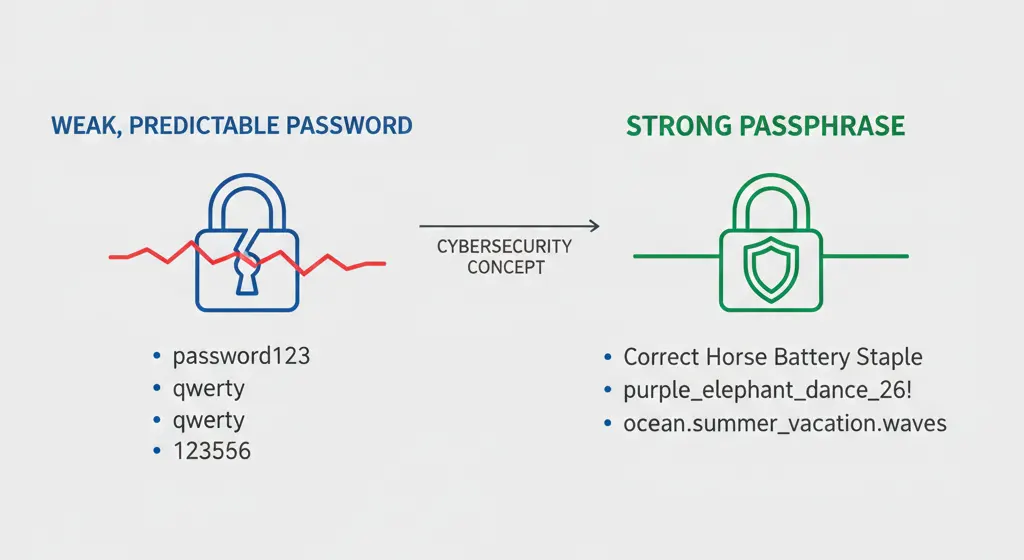
Create Longer Passphrases
Instead of complex short passwords, experts recommend longer passphrases that are easier to remember but harder to crack.
When Should You Change Your Password?
You should immediately change your password if:
- You receive a breach notification
- You detect suspicious login activity
- You shared credentials unintentionally
- A service confirms a data leak
Websites like Have I Been Pwned allow users to check if their email addresses appear in known data breaches.
The Big Cybersecurity Shift
The new philosophy is simple:
Strong, unique passwords + multi-factor authentication > Frequent forced resets.
Cybersecurity is evolving. And clinging to outdated rules may give a false sense of protection.
If your organization still enforces 30-day password changes without evidence of compromise, it may be time to update that policy.
Modern security isn’t about changing passwords constantly — it’s about building smarter layers of protection.
#CyberSecurity #PasswordSecurity #StopChangingPasswords #MFA #NISTGuidelines #DataProtection #TechDebunked